
Invoice templates for small businesses
Going to painstaking detail to create your own invoice document from scratch can be a time-consuming pursuit, even for the most basic of designs.
Going to painstaking detail to create your own invoice document from scratch can be a time-consuming pursuit, even for the most basic of designs.


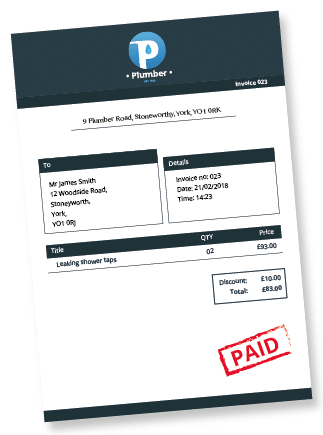





We knew you’d ask, so we came prepared.
See below for an extensive (and we mean extensive) breakdown of the advantages our robust software provides, and then read on to discover how invoicing is just the tip of the KashFlow-shaped iceberg:
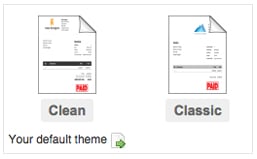
Choose from our pre-made ‘Clean’ or ‘Classic’ options.
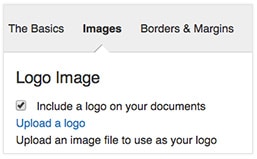
Ready to personalise your invoices? Our easy-to-follow guide will show you how to insert individual information, logos and elements.
With other systems, once you save an invoice it’s set in stone. With KashFlow you can edit the invoice whenever you like.
There’s no limit to the number of invoices (or customers) you can create, and no hidden or unexpected charges for creating them.
Invoices are created as PDFs that you can print or send via email from within the software. Alternatively, you can click a button and have them automatically sent via standard snail mail.
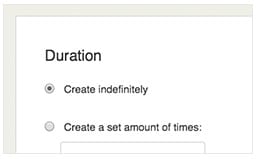
You can set up invoices to be created and sent to your customers automatically at any given interval.
Opt to be notified via email if an invoice is overdue – KashFlow provides effective, pre-written reminder letters to send to your customers.
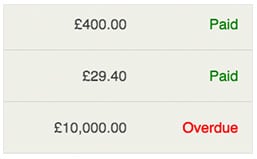
Automatically list any payments received while showing any amounts still owed.
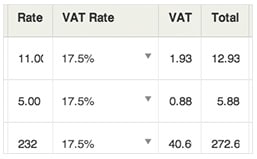
Pre-enter a list of products or services, and even set KashFlow to automatically fill in the price, description and VAT rate.
We can even accommodate the budding programmers amongst you – if you’re fluent in HTML or CSS, you can make additional, advanced changes by directly altering the coding. More on that here.

You can convert a quote/estimate to an invoice, with or without deleting the original quote.

Print or email receipts for payments received.

Lots of useful reports can be viewed based on invoice data – read this page for additional information relating to proforma invoices.
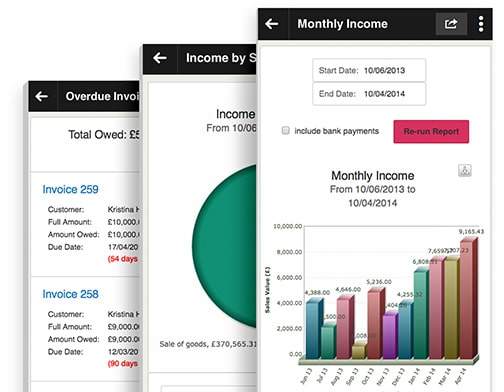
However, as proud as we are of the above, KashFlow is about much more than just billing your customers.

It’s specifically designed to help keep the financial affairs of small- to medium-sized businesses in order, with minimal fuss.
It’s affordable, easy-to-use, jargon-free, has a fast and free support team and, crucially, it exists entirely in ‘the cloud’ – meaning you can access it remotely from anywhere with an Internet connection.
Not only that, all the precious data you enter into KashFlow is stored securely on our UK-based servers using the same, stringent physical and virtual methods of security as all the major online banking providers.
Did we mention our integration with popular apps such as PayPal, Dropbox and MailChimp? It’s no wonder we’ve taken the prize for Best Accounting Software for SMEs in 5 of the last 6 years.
See how IRIS KashFlow works with your business and your books